Clear scope and pricing
Show your client exactly what is included, how much it costs and any notes that matter before work begins.
Use this quotation generator to turn the scope, prices and client details into a professional quote that is easy to review, approve and convert into an invoice.

Professional documents without complicated accounting software.
Quote with confidence
Give clients the information they need without creating every quote from an empty document.
Show your client exactly what is included, how much it costs and any notes that matter before work begins.
Set an issue date, quote validity and professional terms so expectations are clear from the start.
Save frequent clients and standard prices so the next quotation takes less time to prepare.
When the client accepts, convert the quotation into an invoice without re-entering every line item.
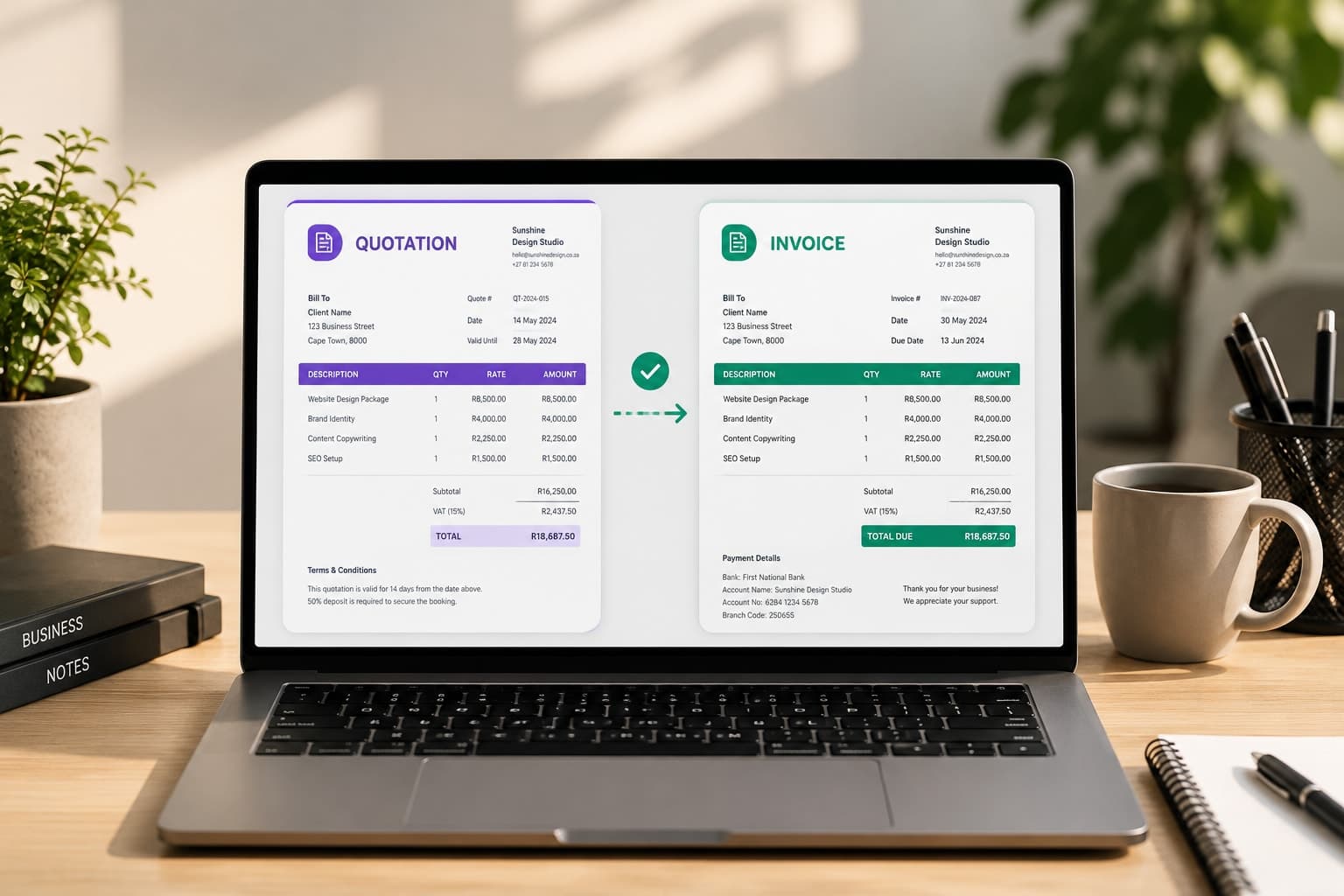
Made for real client work
Start with a clear scope of work, save the client and pricing, then carry the approved details into the invoice when the job is done.
How it works
Add the client, proposed work and prices—or tell Flexy what needs quoting in your own words.
Review the scope, line items, tax, validity and terms before anything becomes final.
Create the quotation PDF, share it with the client and convert it when the work is accepted.
Common questions
A quotation proposes the scope and price before the work is approved. An invoice requests payment for work or products supplied.
Yes, for your first 14 days. Every plan starts with a free trial: add a card, pay nothing until the trial ends, and cancel any time before.
Yes. After marking a quotation as accepted, you can convert it into a new invoice while retaining the client, line items, prices and notes.
Yes. Configure your business currency and use VAT, GST, sales tax or another tax name and rate.
14-day free trial
Start with the job and price. FlexyInvoice will help you turn them into a professional document.
Job already complete? Create an invoice